
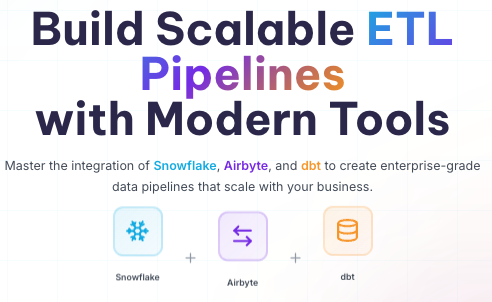

Build Scalable ETL Pipelines
with Modern Tools
Modern ETL Architecture
A cloud-native, scalable data pipeline leveraging the best tools for each layer
Data Sources
- PostgreSQL/MySQL
- Salesforce/HubSpot
- Google Analytics
- S3/Cloud Storage
Airbyte
EL(T) Platform
- 300+ Connectors
- Incremental Sync
- Schema Discovery
Snowflake
Cloud Data Warehouse
- Raw & Staging
- Analytics Ready
- Auto-scaling
dbt (Data Build Tool)
Transformation, Testing, Documentation
Scalability
Auto-scaling compute and storage independent of each other
Real-time
Near real-time data synchronization with CDC support
Cost Effective
Pay only for compute you use, separate storage costs
Snowflake
The cloud-native data warehouse that separates compute from storage, enabling unlimited concurrency and instant elasticity.
Multi-Cluster Shared Data Architecture
Independent compute resources accessing the same data without contention
Zero-Copy Cloning
Instantly clone production data for testing without storage costs
Time Travel & Fail-safe
Access historical data up to 90 days with automatic recovery
Storage Layer Architecture
Unmodified data from Airbyte
Light transformations, type casting
Aggregated, joined, business logic applied
-- Create Warehouses for different workloads
CREATE WAREHOUSE etl_wh WITH
    WAREHOUSE_SIZE = 'XSMALL'
    AUTO_SUSPEND = 60
    AUTO_RESUME = TRUE;

CREATE WAREHOUSE analytics_wh WITH
    WAREHOUSE_SIZE = 'SMALL'
    AUTO_SUSPEND = 300;

-- Database structure
CREATE DATABASE etl_database;
CREATE SCHEMA etl_database.raw_data;
CREATE SCHEMA etl_database.staging;
CREATE SCHEMA etl_database.analytics;

-- Stage for Airbyte data
CREATE STAGE etl_database.raw_data.airbyte_stage;
Airbyte
Open-source data integration engine with 300+ pre-built connectors and custom connector development capabilities.
Databases
Postgres, MySQL, MongoDB
Files
CSV, JSON, Parquet, Excel
SaaS
Salesforce, Stripe, HubSpot
APIs
REST, GraphQL, Custom
Sync Strategies
PostgreSQL Production
users, orders, products tables
Airbyte Server
Incremental sync every 15 min
Snowflake RAW Schema
Raw data landing zone
# Airbyte Connection Configuration
source:
  type: postgres
  host: db.production.internal
  port: 5432
  database: production_db

destination:
  type: snowflake
  database: ETL_DATABASE
  schema: RAW_DATA

sync_mode: incremental_deduped_history
schedule:
  type: cron
  expression: "0 */15 * * * *"  # Every 15 min
dbt
Transform data in your warehouse using SQL with software engineering best practices: versioning, testing, and documentation.
SQL-Based Transformations
Write transformations in pure SQL with Jinja templating
Built-in Testing
Unique, not_null, relationships, and custom tests
Version Control Integration
Git-based development with CI/CD pipelines
Model Lineage
{{ config(
    materialized='view',
    unique_key='order_id'
) }}

WITH source AS (
    SELECT * FROM {{ source('raw_data', 'orders') }}
),

renamed AS (
    SELECT
        id AS order_id,
        user_id AS customer_id,
        CAST(created_at AS TIMESTAMP) AS order_date,
        amount AS order_amount,
        status AS order_status

    FROM source
    WHERE deleted_at IS NULL
)

SELECT * FROM renamed
version: 2

models:
  - name: stg_orders
    description: "Cleaned order data"
    columns:
      - name: order_id
        description: "Primary key"
        tests:
          - unique
          - not_null

      - name: customer_id
        tests:
          - relationships:
              to: ref('stg_customers')
              field: customer_id
Implementation Guide
Complete setup from zero to production
Snowflake Setup
Create Account
Sign up at snowflake.com, choose AWS/Azure/GCP
Configure Warehouse
Set up separate warehouses for ETL and Analytics
Database Structure
Create RAW, STAGING, and ANALYTICS schemas
-- Create role for Airbyte
CREATE ROLE airbyte_role;
GRANT USAGE ON WAREHOUSE etl_wh TO ROLE airbyte_role;
GRANT ALL ON SCHEMA raw_data TO ROLE airbyte_role;

-- Create role for dbt
CREATE ROLE dbt_role;
GRANT USAGE ON WAREHOUSE analytics_wh TO ROLE dbt_role;
GRANT ALL ON SCHEMA staging TO ROLE dbt_role;
GRANT ALL ON SCHEMA analytics TO ROLE dbt_role;
Security
- • Use Key-Pair auth for Snowflake
- • Rotate credentials quarterly
- • Enable column-level encryption
Performance
- • Incremental models for large tables
- • Partition pruning in Snowflake
- • Cluster keys on frequently filtered cols
Cost Optimization
- • Auto-suspend warehouses (1-5 min)
- • Use X-Small for dev/test
- • Monitor with Resource Monitors
Ready to Build?
Start implementing your modern data stack today with these resources